English
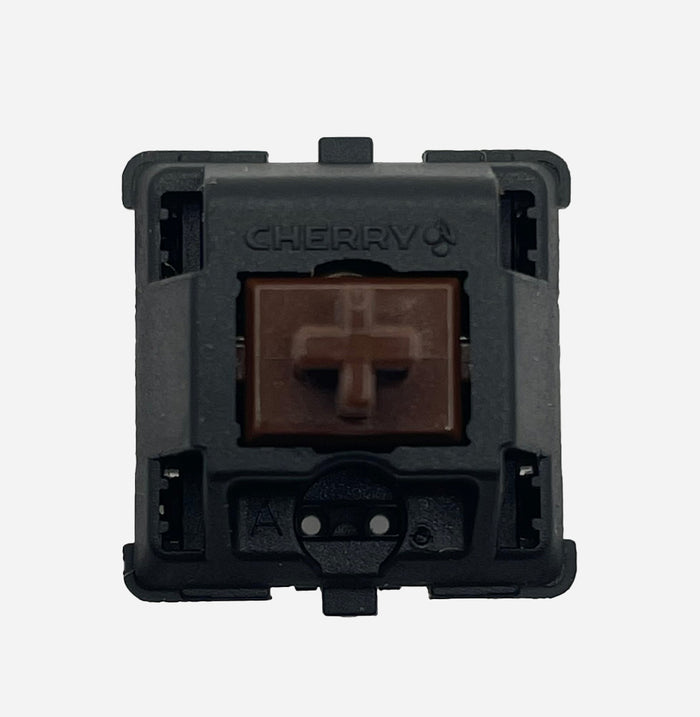
Cherry MX Brown (MX1A) vs Cherry MX2A Brown – Classic Tactile vs Modern MX2A Tactile

Looking for a quiet tactile switch without clicky noise? Then you’ll often end up choosing between Cherry MX Brown (MX1A) and the updated Cherry MX2A Brown. They share the same foundation (mild bump, all-round usability), but in real use, MX2A feels noticeably smoother and more consistent.
Quick choice guide
- Choose MX Brown (MX1A) if you want the classic Cherry Brown feel and a no-nonsense all-round switch.
- Choose MX2A Brown if you want that same mild bump with less grain/scratch, less wobble, and more comfort.
1. Construction & Materials
- Cherry MX Brown (MX1A) – Classic nylon housing with Cherry tactile stem. Known for a subtle bump and neutral sound, though stock feel can sometimes be a bit “sandy” or lightly scratchy.
- Cherry MX2A Brown – Updated MX2A housing with improved rail guidance, adjusted internal geometry, and factory lubrication. Result: same bump style, but smoother and more stable.
2. Technical Specifications
Cherry MX Brown (MX1A)
- Type: Tactile (mild bump, no click)
- Actuation: approx. 45 cN
- Bottom-out: approx. 55–60 cN
- Pre-travel: 2.0 mm
- Total travel: 4.0 mm
- Housing: Nylon top & bottom
- Stem: POM
- Lifespan: up to 100 million keystrokes
- Character: mild, neutral, classic all-rounder
Cherry MX2A Brown
- Type: Tactile (mild, refined bump)
- Actuation: approx. 45 cN
- Bottom-out: approx. 55–60 cN
- Pre-travel: 2.0 mm
- Total travel: 4.0 mm
- Housing: MX2A with improved rails
- Stem: POM with tighter guidance
- Lifespan: up to 100 million keystrokes
- Character: same bump profile, but smoother and more consistent
3. Sound & Typing Feel
| Switch | Sound | Typing Feel | Ideal For |
|---|---|---|---|
| Cherry MX Brown (MX1A) | Soft, neutral, sometimes slightly grainy | Mild bump, then fairly linear; classic Brown character | Beginners, all-round work/gaming |
| Cherry MX2A Brown | Slightly deeper/quieter, less friction noise | Same mild bump, but smoother and more stable | Long sessions, comfort, daily-driver tactiles |
| Cherry MX Red | Soft, linear | No bump, lighter linear feel | Users who do not want tactile feedback |
4. Community Impressions
“MX Brown is safe and versatile, but compared to modern tactiles it can feel a bit flat.”
“MX2A Brown is basically Brown 2.0: same bump, clearly smoother.”
“For all-day typing, MX2A Brown feels calmer and more comfortable.”
5. Pros & Cons
Cherry MX Brown (MX1A)
Pros:
- Proven, neutral all-round tactile
- Relatively quiet and office-friendly
- Widely compatible and familiar feel
Cons:
- May feel a bit characterless for enthusiasts
- Stock smoothness often trails modern tactiles
- More chance of slight grain/scratch sensation
Cherry MX2A Brown
Pros:
- Smoother travel thanks to MX2A improvements
- Less wobble and more consistent key-to-key feel
- Mild bump stays comfortable during long sessions
Cons:
- Still a mild tactile (not an aggressive bump)
- Purists may miss some of the “vintage Brown” edge
- For maximum smoothness, some users still prefer relubing
6. When to Choose Which?
- Choose MX Brown (MX1A) if you want the classic Cherry Brown experience and you’re happy with a simple, neutral tactile.
- Choose MX2A Brown if you want that same approachable bump, but in a more modern, quieter, and refined package for heavy daily use.
7. Where to Buy
Conclusion
Cherry MX Brown (MX1A) and Cherry MX2A Brown target the same profile: a mild, quiet tactile for all-round use. MX1A is the classic, familiar option; MX2A is the modern upgrade with more smoothness, less wobble, and a calmer overall feel.
If you mainly want “just a good Brown,” MX1A is still totally solid. If you want extra comfort and consistency for long-term daily use, MX2A Brown is the better pick.
Also check the full Switch Collection at RGBKeys for more tactile, linear, silent, and clicky options.
Products from this article
View the products mentioned in this blog.