English
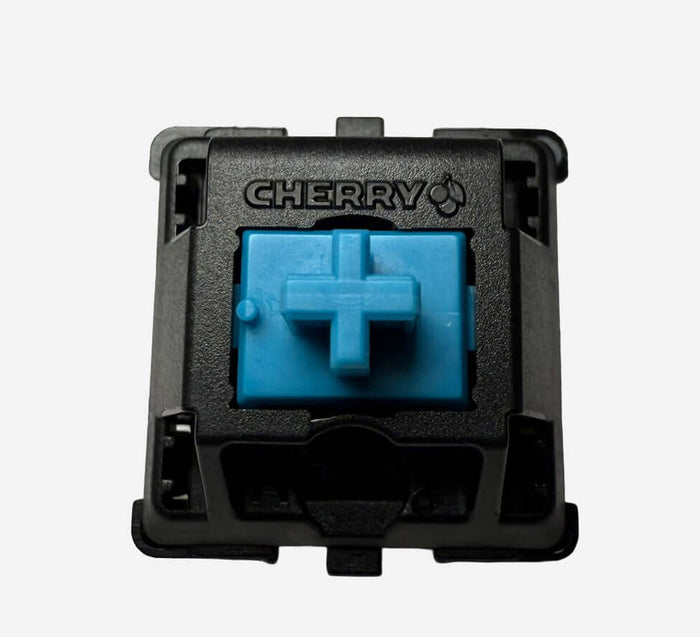
Cherry MX Blue (MX1A) vs Cherry MX2A Blue – Classic Clicky vs Modern MX2A Click

Are you deciding between the classic Cherry MX Blue (MX1A) and the updated Cherry MX2A Blue? Both are distinctly clicky switches with a clear tactile bump, but the experience is not identical. MX1A delivers that raw, iconic typewriter feel, while MX2A feels noticeably more modern, tighter, and more consistent.
Quick choice guide
- Choose MX Blue (MX1A) if you want the classic, sharp Cherry click with old-school character.
- Choose MX2A Blue if you want the same clicky style, but smoother, cleaner, and less rattly.
1. Construction & Mechanism
- Cherry MX Blue (MX1A) – Classic Cherry click-jacket design in a nylon housing. Known for its bright click, clear bump, and a more “raw” stock feel.
- Cherry MX2A Blue – Updated MX2A architecture with improved rail guidance, optimized click components, and factory lubrication. Goal: less friction, less resonance, and better consistency.
2. Technical Specifications
Cherry MX Blue (MX1A)
- Type: Clicky (tactile bump + audible click)
- Actuation: approx. 60 cN
- Bottom-out: approx. 60–65 cN
- Pre-travel: 2.0 mm
- Total travel: 4.0 mm
- Mechanism: Classic click jacket
- Housing: Nylon top & bottom
- Lifespan: up to 100 million keystrokes
- Character: sharp, high-pitched click; stock feel can be a bit scratchier
Cherry MX2A Blue
- Type: Clicky (tactile bump + refined click)
- Actuation: approx. 60 cN
- Bottom-out: approx. 60–65 cN
- Pre-travel: 2.0 mm
- Total travel: 4.0 mm
- Mechanism: Optimized MX2A click system
- Housing: MX2A with improved rails
- Lifespan: up to 100 million keystrokes
- Character: equally clicky, but tighter, smoother, and more consistent
3. Sound Profile & Typing Feel
| Switch | Sound | Typing Feel | Ideal For |
|---|---|---|---|
| Cherry MX Blue (MX1A) | Higher, sharper, sometimes slightly hollow/pingy | Pronounced bump + click, rougher stock character | Fans of classic clicky “typewriter vibe” |
| Cherry MX2A Blue | Tighter, slightly fuller, less rattle | Clear bump + click, but noticeably smoother | Modern clicky fans who want more refinement |
| Cherry MX Brown | Soft, non-clicky | Mild tactile bump without click | Users who want feedback with less noise |
4. Community Impressions
“MX Blue is still the clicky classic: loud, sharp, and instantly recognizable.”
“MX2A Blue feels like the same Cherry DNA, but cleaner and less rattly.”
“If you love click but want less scratch, MX2A is the logical upgrade.”
5. Pros & Cons
Cherry MX Blue (MX1A)
Pros:
- Iconic clicky sound and feel
- Very clear actuation feedback
- Perfect for old-school clicky enthusiasts
Cons:
- Loud and relatively high-pitched
- Stock feel is often rougher/scratchier than modern alternatives
- Less suitable for quiet environments
Cherry MX2A Blue
Pros:
- Smoother travel thanks to improved rail guidance
- Less resonance/rattle and a cleaner click sound
- Better consistency across the whole keyboard
Cons:
- Still a loud clicky switch
- For purists, it may feel “too polished” vs old MX Blue
- Not ideal in shared workspaces
6. When to Choose Which?
- Choose Cherry MX Blue (MX1A) if you want the authentic, raw Cherry clicky character with maximum nostalgia.
- Choose Cherry MX2A Blue if you want a modern Cherry Blue experience: same clear click, but tighter, calmer, and more consistent.
7. Where to Buy
Conclusion
MX Blue (MX1A) and MX2A Blue both deliver that recognizable Cherry clicky experience. The key difference is refinement: MX1A is classic and raw, MX2A is more polished and consistent. Want the pure old-school click? Go MX1A. Want the same clicky feedback but cleaner out of the box? MX2A Blue is the better choice.
Also check the full Switch Collection at RGBKeys for more linear, tactile, silent, and clicky options.
Products from this article
View the products mentioned in this blog.