English
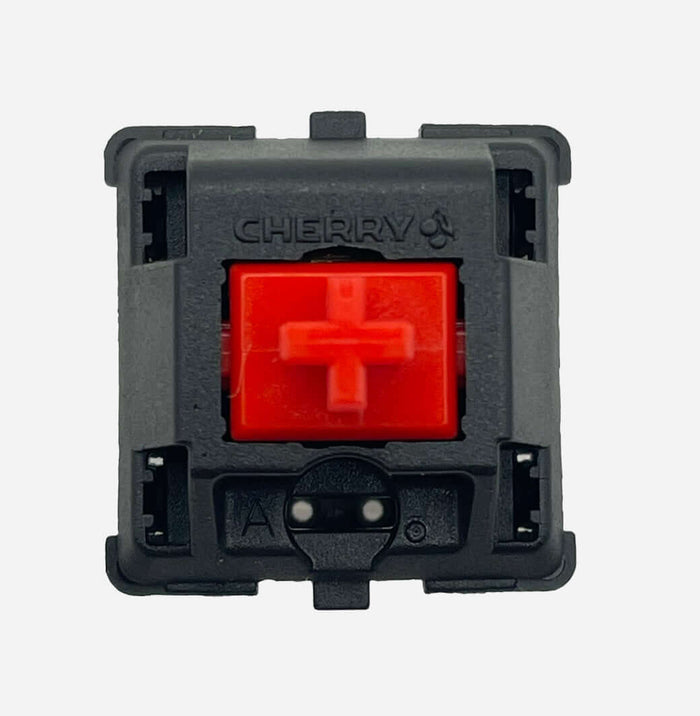
Cherry MX Red (MX1A) vs Cherry MX2A Red – Classic Linear vs Modern MX2A Linear

Not sure whether to choose Cherry MX Red (MX1A) or Cherry MX2A Red? Both are light linear switches without a tactile bump, but MX2A feels like the more modern, refined version of the classic Red.
Quick choice guide
- Choose MX Red (MX1A) if you want the classic Cherry Red experience: light, simple, and familiar.
- Choose MX2A Red if you want the same weight but with more smoothness, less wobble, and a calmer sound profile.
1. Construction & Materials
- Cherry MX Red (MX1A) – Classic nylon housing with a POM stem and traditional Cherry rail design. Known as a predictable linear switch, though stock feel can sometimes be slightly scratchy or hollow.
- Cherry MX2A Red – Updated MX2A housing with optimized rails, adjusted spring behavior, and factory lubrication. Designed for smoother, more consistent travel.
2. Technical Specifications
Cherry MX Red (MX1A)
- Type: Linear (no bump, no click)
- Actuation: approx. 45 cN
- Bottom-out: approx. 55–60 cN
- Pre-travel: 2.0 mm
- Total travel: 4.0 mm
- Housing: Nylon top & bottom
- Stem: POM
- Lifespan: up to 100 million keystrokes
- Character: light, direct, classic Cherry linear
Cherry MX2A Red
- Type: Linear (refined travel)
- Actuation: approx. 45 cN
- Bottom-out: approx. 55–60 cN
- Pre-travel: 2.0 mm
- Total travel: 4.0 mm
- Housing: MX2A with improved rail guidance
- Stem: POM with tighter guidance
- Lifespan: up to 100 million keystrokes
- Character: same light weight class, but smoother and more consistent
3. Sound & Typing Feel
| Switch | Sound | Typing Feel | Ideal For |
|---|---|---|---|
| Cherry MX Red (MX1A) | Soft, slightly higher pitch; more noticeable top-/bottom-out | Light and linear; can feel a bit scratchy/hollow stock | Gaming, beginners, classic linear setups |
| Cherry MX2A Red | Slightly deeper/calmer; less friction and rattle noise | Same light spring, but noticeably smoother and more stable | Long sessions, daily driver use, modern Cherry feel |
| Cherry MX Brown | Soft, non-clicky | Mild tactile bump | Users who want some feedback instead of fully linear |
4. Community Impressions
“MX Red is still the safe gaming choice: light and predictable.”
“MX2A Red feels like Red 2.0: same foundation, just cleaner overall.”
“For long-term use, MX2A is often more comfortable thanks to smoother travel.”
5. Pros & Cons
Cherry MX Red (MX1A)
Pros:
- Proven classic with broad compatibility
- Light and easy to get used to
- Widely available in prebuilt keyboards
Cons:
- Stock smoothness may lag behind modern linears
- Can sound a bit hollow/sharper depending on build
- Less “premium” feel without mods
Cherry MX2A Red
Pros:
- Smoother travel via improved rails + factory lube
- Less wobble and more consistent key-to-key feel
- Same light Cherry Red profile, but more refined
Cons:
- Still a light switch: heavy-linear fans may want more resistance
- Factory lube is good, but not necessarily “endgame” for modders
- If you like the raw old Red character, MX2A may feel “too clean”
6. Which One Should You Choose?
- Choose MX Red (MX1A) if you want the classic Cherry Red you already know from many gaming keyboards.
- Choose MX2A Red if you want a modern Cherry Red upgrade with more comfort, less noise, and better consistency.
7. Where to Buy
Conclusion
Cherry MX Red (MX1A) and Cherry MX2A Red serve the same audience: users who want a light linear switch for gaming and daily use. MX1A is the trusted classic; MX2A is the cleaned-up evolution with more smoothness, stability, and calmer sound.
If you want simple and proven, go MX Red (MX1A). If you want that same base with a more modern finish, MX2A Red is the logical step.
Also check the full Switch Collection at RGBKeys for more linear, tactile, clicky, and silent options.
Products from this article
View the products mentioned in this blog.