English
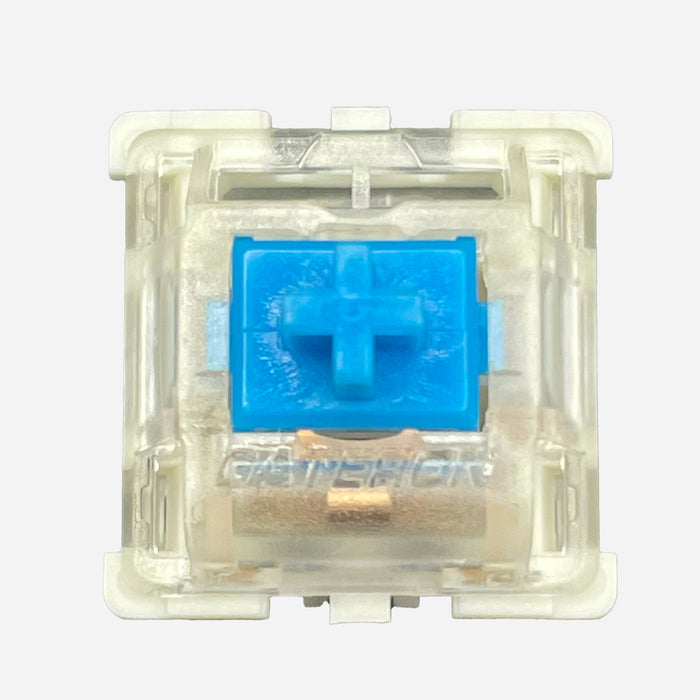
Gateron KS-9 Blue Switch Review – Classic Clicky Switch for Typists

Want that classic “mechanical keyboard feel” with a distinct click on every keystroke? Then the Gateron KS-9 Blue is exactly that kind of switch: clicky, tactile, and nicely pronounced.
Below, in the same style as your other blogs: clear, practical, and with key terms explained right away.
Quick answer (if you want to choose fast)
The Gateron KS-9 Blue is ideal if you want audible and tactile feedback while typing. For quiet environments, late-night use, or shared workspaces, it’s usually less suitable because of its clearly audible click.
1. Where do you feel the difference with a clicky switch?
- Tactile bump: you feel a clear “bump moment” around actuation (the registration point).
- Click sound: you actively hear when a key actuates.
- More confirmation per keystroke: especially nice for typists and writers.
- Less discreet: the bump + click combo is noticeable throughout the room.
2. Technical specs (and what they mean)
- Type: Clicky (tactile bump + audible click)
- Operating force: 60g ± 5g (medium-heavy, controlled keystroke)
- Pre-travel: 2.3 ± 0.6mm (distance to actuation point)
- Total travel: 4.0 ± 0.4mm (full travel distance)
- Materials: Nylon housing + POM stem
- Lifespan: up to 50 million keystrokes
In practice: this is not a subtle switch. It’s made for people who want to clearly feel and hear what’s happening.
3. Sound & feel in plain language
- “Clicky” = an audible click on top of normal bottom-out noise.
- “Tactile” = a noticeable feedback point in the keypress.
- “Classic mechanical” = that old-school, typewriter-like character Blue switches are known for.
4. Real-world comparison: KS-9 Blue vs KS-9 Yellow
| Category | Gateron KS-9 Blue | Gateron KS-9 Yellow |
|---|---|---|
| Switch type | Clicky + tactile | Linear (no bump/click) |
| Feedback | Clearly tactile and audible | Smooth and quieter |
| Sound | Loud, pronounced click | Calmer, lower-profile sound |
| Typing feel | Lots of confirmation per keypress | Faster, less “pressured” feel |
| Best use case | Writing, programming, typing enthusiasts | Gaming, all-round use, shared spaces |
5. Pros
- Clear bump and click for maximum feedback
- Great for typists who like rhythm and confirmation
- Affordable entry point into clicky switches
- Classic mechanical character
6. Cons
- Loud in offices, calls, or shared spaces
- Less ideal if you want ultra-fast, light gaming input
- Can become fatiguing over time if you’re sensitive to higher-pitched click sounds
7. When should you choose this switch?
- Choose KS-9 Blue if you:
- like clearly audible feedback;
- mainly type, write, or code;
- want that classic clicky keyboard feel.
- Choose a linear instead (like KS-9 Yellow) if you:
- want to work more quietly;
- are in a shared environment;
- prefer a smoother, less “present” keypress.
8. Where to buy
Conclusion
The Gateron KS-9 Blue is a strong pick for anyone who wants a classic clicky experience: tactile bump, audible click, and lots of feedback per keystroke. That makes it especially attractive for typists, writers, and fans of traditional mechanical feel.
If you work in quiet settings or share your space with others, a linear switch is often more practical. But if you’re specifically after that pronounced clicky character, the KS-9 Blue is a very good budget-friendly choice.
Also check out our full RGBKeys Switch Collection for more linear, tactile, and clicky options.
Products from this article
View the products mentioned in this blog.